The Collaboration Center is an interactive system that allows Paragon users to share listings with their clients.
Your clients love the collaboration center because it allows them to get notifications the minute a home that matches their criteria hits the market!
As a buyer, your client can view the possible matches and quickly decide if it’s a “Possible” a “Favorite” or they can “reject” it. This tool allows you (the agent) to concentrate only on the listings the buyer is interested in.
As a seller, your client can see when a prospective buyer marks their listing as a favorite, possible or rejected. The seller side of the collab center gives your seller instant access to competing listings.
Black Knight is excited to announce the next generation of Paragon Applications. Paragon Connect is the newly developed mobile technology designed for Real Estate agents on-the-go and represents the Black Knight vision of a modern, mobile, and responsive interface that reimagines the commonly used Paragon functionality and workflows. This application leverages responsive design technology and principles to help make it faster, more intuitive, and so easy to use.
All the data /activity from the Collab center is integrated with Paragon Connect. And you, the agent will have the ability to make the best business decisions based on the information provided from these tools. Other features of Paragon Connect include:
An agent tool only
100% responsive. Which ensures it displays perfectly based on your choice of device.
Device optimized
Uses the same Paragon database (contacts, saved searches, etc.)
Client Centric: provides the agent with details about how often their client visits their seller sites, which listings buyers like, and gives you greater insight into buyer and seller activity.
MLS Reminder: Provide Detailed Showing Instructions
07/28/2022
REALTORS® have a lot of details to juggle in their daily lives, and in a hot real estate market, showing instructions probably aren’t on the top of your priority list. Even so, a hot market means it’s of utmost importance to provide detailed showing instructions if you’re listing a property or abide by the instructions when showing a property to prospective clients.
LISTING AGENTS:
Provide thorough showing information in the listing so other subscribers may easily conduct a showing. We understand it’s tempting to get a listing up quickly, thinking you’ll fix it later, but this may set your colleagues and clients up for some unpleasant interactions.
Put yourself in the showing agent’s shoes.Double-check the showing instructions are accurate and that an agent showing the property has what they need to follow the instructions. If a listing instructs agents to call the owner first, the homeowner’s phone number should be included on the listing..
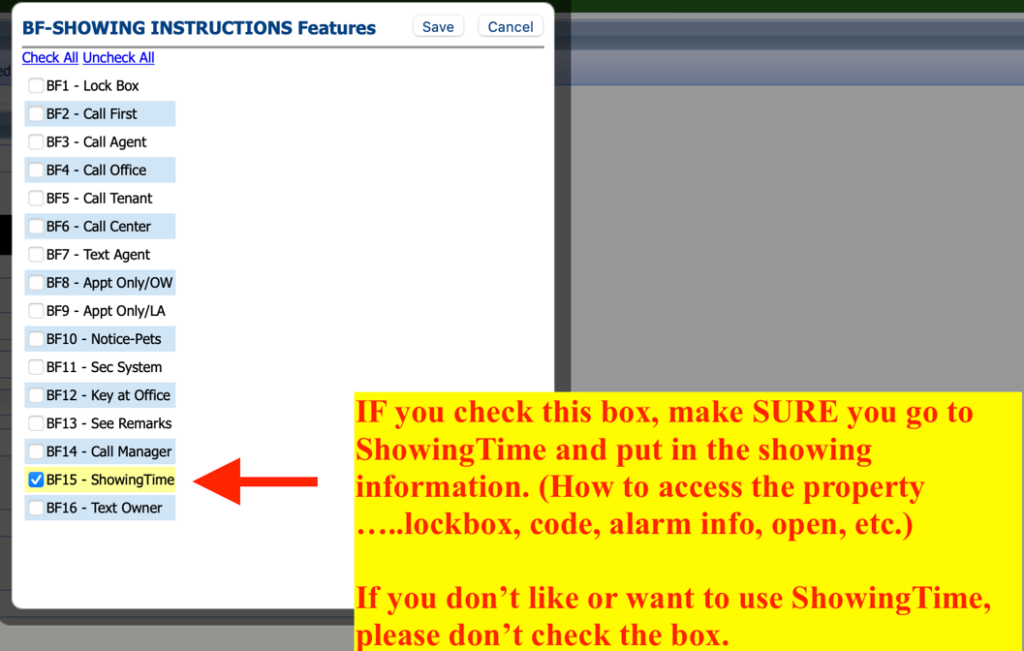
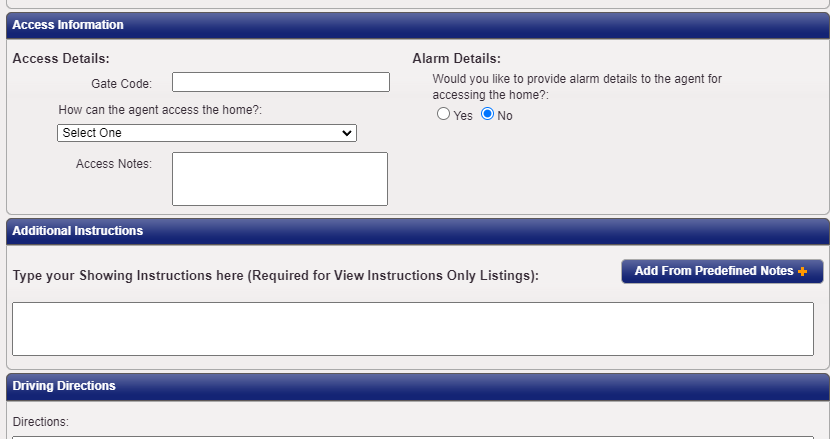
Do you need to restrict access to a listing?If so, please add those details in the Access Details in ShowingTime
SHOWING AGENTS:
Read—and follow—showing instructions. While you’re in Paragon checking the listing’s current status, thoroughly review the showing instructions detailed on the listing to avoid any mishaps or potential rules violation.
Trust your gut.If you arrive at a scheduled showing and something is off—an aggressive pet is loose in the house, minors are home alone, or a band of squatters is camped on the front lawn—consider rescheduling the showing.
REALTORS® in Action (RiA) is the charitable foundation of the Huntsville Area Association of REALTORS®, created to support our members, their families, and our community in times of need.
As a registered 501(c)(3) organization, all donations to RiA are fully tax deductible.
There are now several ways to contribute to RiA:
Donate through your member dashboard under Member Services
Call our office at 256-536-3334
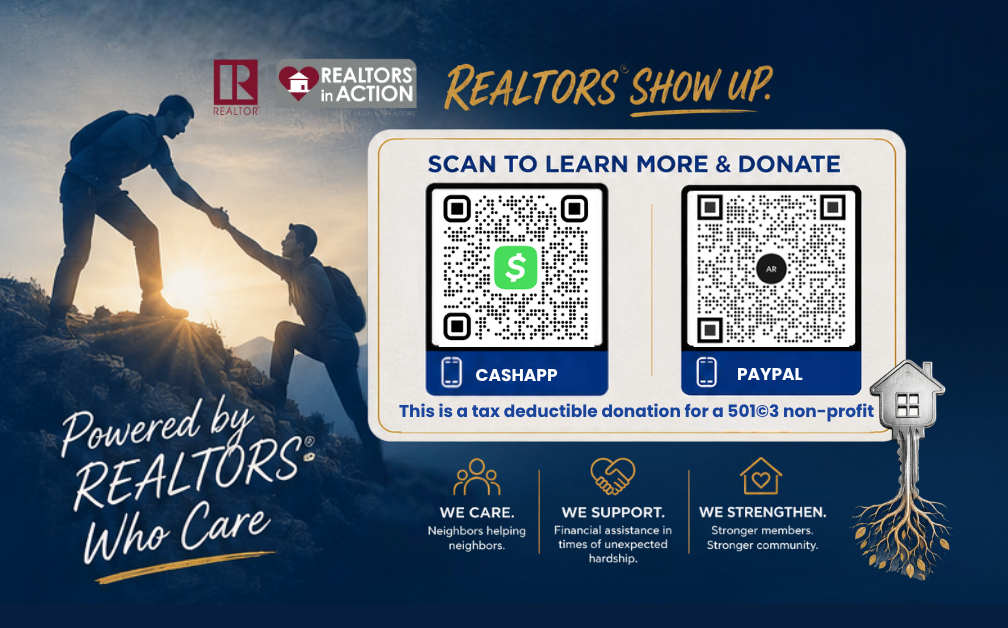
Contribute via PayPal or Cash App
For step-by-step instructions on donating online, please see below.
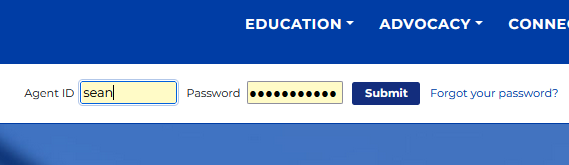
1. Visit HAAR.realtor in any browser and enter your credentials to log into your dashboard.
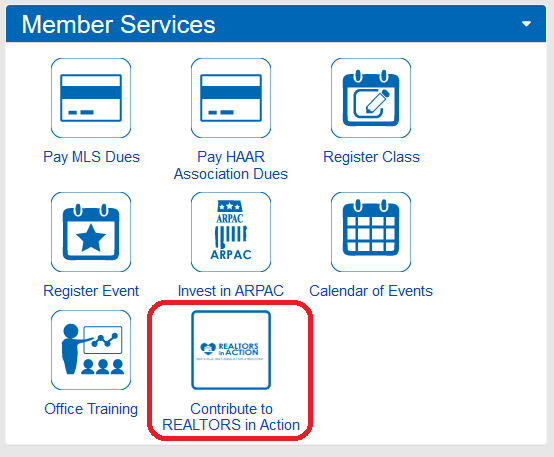
2. Click “Contribute to REALTORS® in Action” under “Member Services” on the right side of your dashboard. This will bring you to your RiA contribution page.
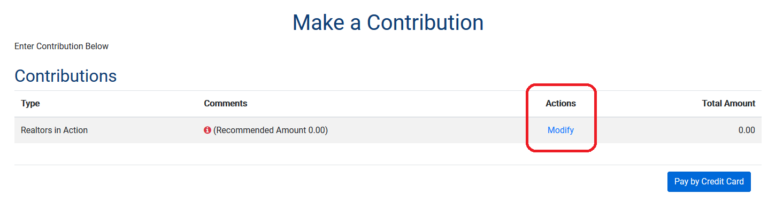
3. On your contribution page, click “Modify” under “Actions” to enter your contribution amount. A dialogue box will appear.
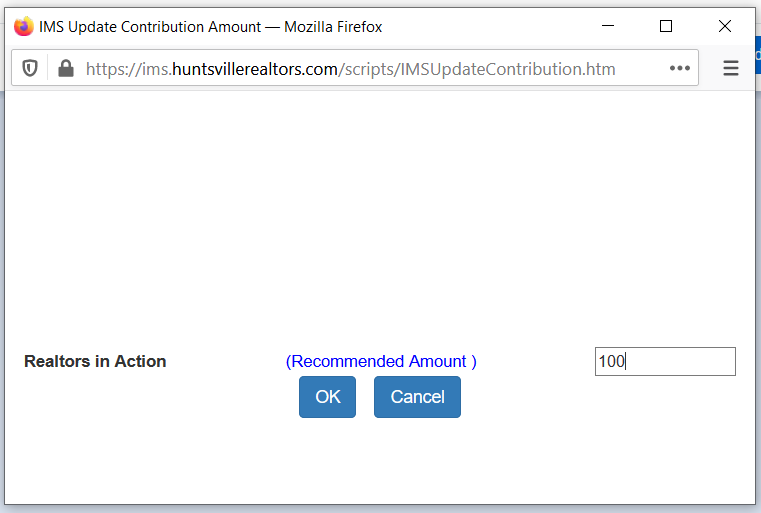
4. Enter the amount you would like to contribute the the text box on the right, then click “OK”.
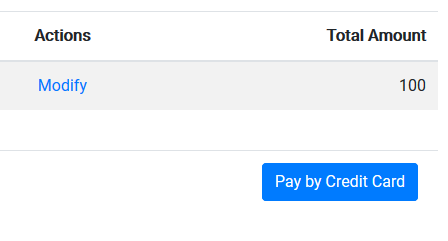
5. After clicking “OK”, the dialogue box will disappear and the amount you entered will appear under “Total Amount” on your contribution page. Click “Pay by Credit Card” below your total amount.
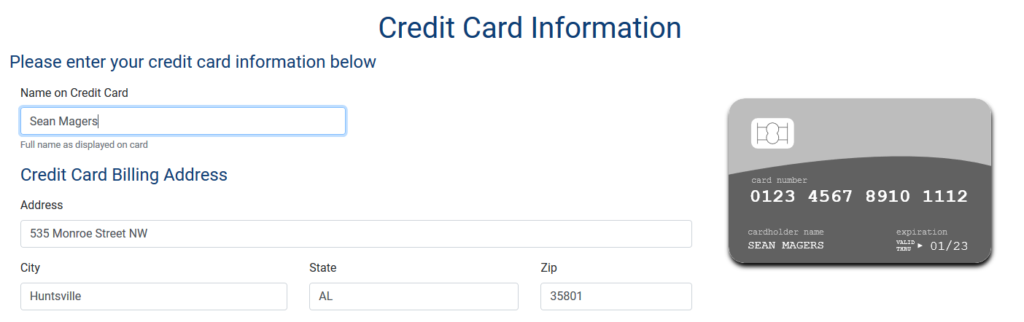
6. Any previously saved information will automatically appear on the “Credit Card Information” page.
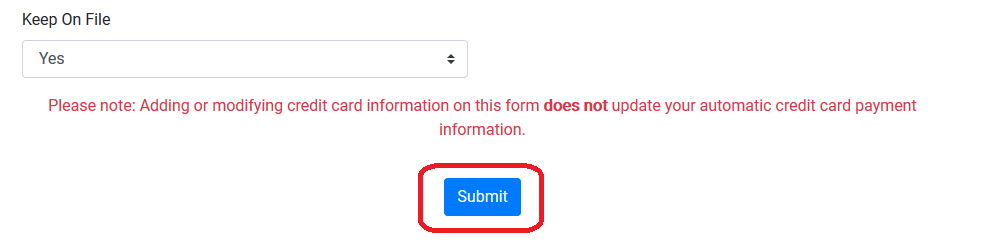
7. Complete any incomplete information, then click “Submit”. After that, your contribution is complete. Thank you for your support of REALTORS® in Action!